 Skip to content

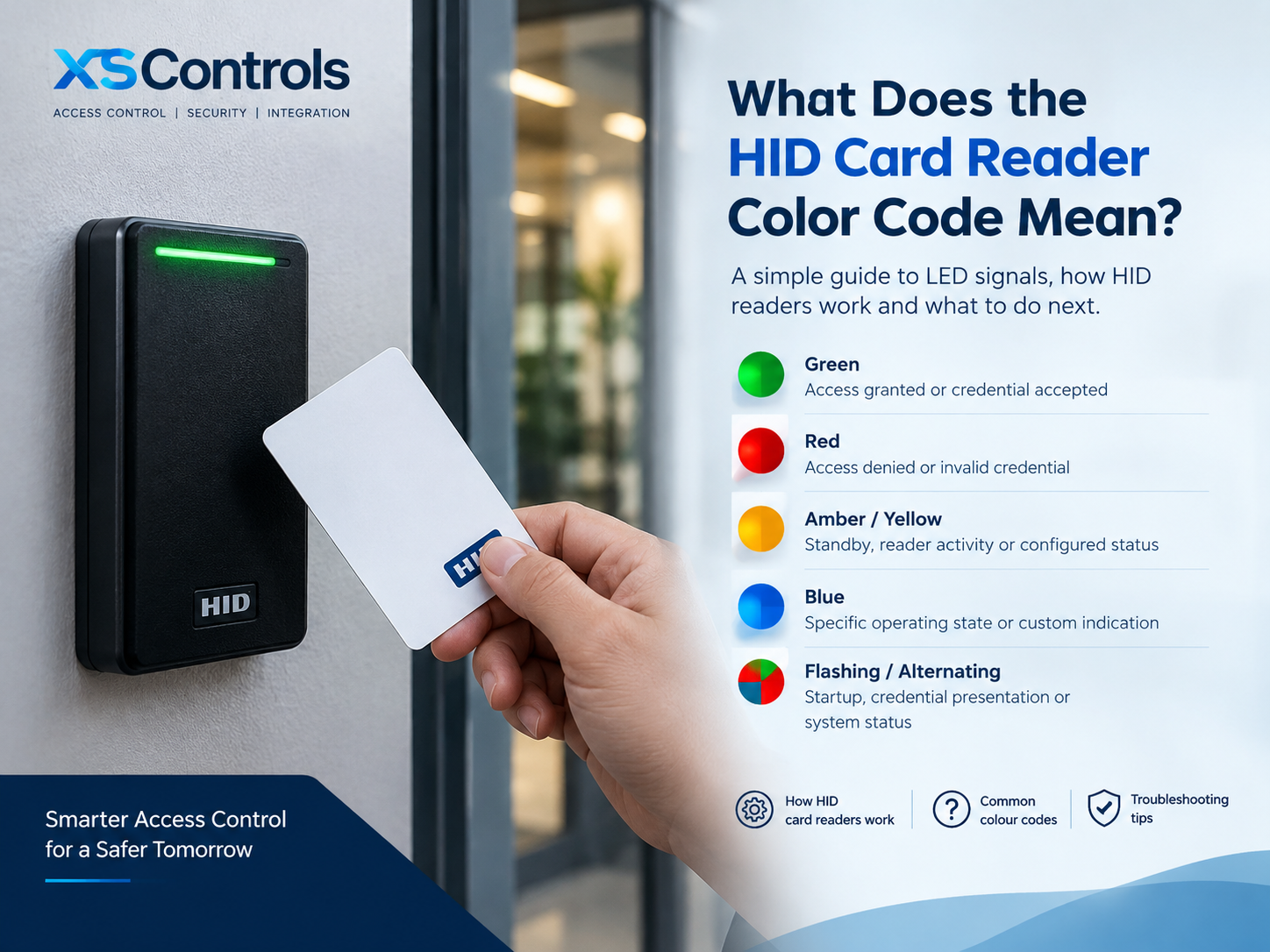
What Does the HID Card Reader Color Code Mean? A Complete Guide
HID card readers are widely used in electronic access control systems to help businesses manage entry to offices, commercial buildings, schools and other secure facilities. Their LED indicators provide useful visual feedback when someone presents an access card or credential. However, understanding what each colour means can be confusing because the signals may differ between reader models and system configurations.
So, what does the HID card reader color code mean? In most installations, the LED communicates a status such as access granted, access denied, reader activity or a potential fault. Understanding these signals can help facilities managers, security installers and IT teams identify access issues and maintain reliable door security.
This guide explains HID card reader colours, how HID card readers work, their main components and what to check when a reader does not behave as expected.
What Does the HID Card Reader Color Code Mean?
The HID card reader colour code generally refers to the colours displayed by the reader’s LED indicator. These lights provide feedback when the reader powers up, detects a credential or communicates with an access control system.
The exact meaning depends on the specific HID reader, its firmware and the settings configured by the access control system.
Common interpretations include:
- Green: Often indicates that access has been granted or that a credential has been accepted.
- Red: Commonly indicates access denied, an invalid credential or a restricted access attempt.
- Amber or yellow: May indicate a standby condition, reader activity or another configured status.
- Blue or other colours: May be used for specific operating states or customised indications, depending on the reader.
- Flashing or alternating colours: May indicate startup, credential presentation, configuration activity or a particular status sequence.
These are general examples, not a universal HID colour chart. A green light does not necessarily confirm that every part of a door system is operating correctly, and a red light does not always mean the card itself is faulty.
For an accurate interpretation, consult the installation or configuration guide for your specific HID model and check the settings in the access control software.
What Is an HID Card Reader?
An HID card reader is an electronic device that reads identification credentials and passes credential information to an access control system. HID Global manufactures readers that support different credential technologies, including proximity cards, smart cards and compatible mobile credentials.
An HID reader is typically installed near a controlled entrance. When a user presents an authorised card, the reader communicates with the access control controller, which determines whether access should be allowed according to the configured permissions.
HID readers are used in many environments, including:
- Corporate offices and commercial buildings
- Educational institutions and university campuses
- Hospitals and healthcare facilities
- Industrial sites and warehouses
- Data centres and restricted-access areas
- Multi-tenant buildings and managed facilities
Different models support different technologies, communication methods and installation requirements. Selecting a reader therefore requires checking credential compatibility, security requirements and integration with the existing access control system.
How Do HID Card Readers Work?
HID card readers work by reading a compatible credential and sending its identification data to an access control system for authorisation.
The process generally follows five steps:
1. The user presents a credential
The user holds a compatible access card, key fob or supported mobile credential near the reader. Depending on the technology, the reader detects the credential through radio-frequency communication or another supported interface.
2. The reader reads the credential
The reader obtains the relevant credential data. The information available depends on the credential technology and the reader’s configuration.
3. The reader communicates with the controller
The reader sends the credential information to the access control controller using a supported interface, such as Wiegand or OSDP, depending on the installation.
4. The system checks access permissions
The controller or associated access control software checks the credential against the relevant permissions, schedules and access rules.
5. The system provides a response
If access is authorised, the system can activate the door release mechanism and provide a corresponding visual or audible indication. If access is denied, the door generally remains secured and the reader may display a red light or another configured signal.
This process allows organisations to control entry, manage user permissions and maintain access event records where supported by the system.
Why Do HID Card Reader LED Colours Matter?
LED indicators make access control systems easier to use and troubleshoot. They provide immediate feedback without requiring users to interpret technical information.
For security teams and installers, these indicators can help identify potential issues such as rejected credentials, incorrect configuration or communication problems.
For example, if a user presents a card and receives a red light, the cause could be an expired credential, missing access permission, an incorrect access schedule or a configuration issue. The LED alone cannot confirm which explanation is correct.
Similarly, if a reader remains unresponsive, the issue could involve its power supply, wiring, communication link or controller configuration. A systematic check of the reader, credential and access control software is more reliable than diagnosing a fault from colour alone.
What Is the Difference Between HID Reader LED Colours and Wire Colours?
This distinction is particularly important during installation and maintenance. LED colours are visual signals displayed on the reader’s indicator. They communicate operating status or access-related feedback.
Wire colours identify electrical connections in the reader’s cable or wiring harness. Depending on the model, wires may be assigned to power, ground, data communication, LED control, buzzer or tamper functions.
For example, some HID reader installations use Wiegand or OSDP communication. The wiring requirements differ according to the interface and device.
Never assume that a particular wire colour has the same function across every reader. Check the manufacturer’s wiring diagram for the exact model before connecting or modifying any conductors. Incorrect wiring can damage equipment or prevent the system from working correctly.
How to Troubleshoot Common HID Card Reader Colour Signals
If an HID reader displays an unexpected colour or fails to respond, use a structured troubleshooting process.
Check the credential. Confirm that the card or fob is compatible with the reader and has been enrolled correctly.
Verify access permissions. Check whether the user has permission to enter the relevant door at the time of the attempt.
Review the access event log. Where available, examine the controller or software logs to determine whether the credential was read and why access was granted or denied.
Inspect the reader’s power and connections. Have a qualified installer check the supply, wiring and communication interface against the manufacturer’s documentation.
Confirm the reader configuration. LED behaviour, supported credential technologies and communication settings may depend on the reader model and system configuration.
Consult the correct product manual. Use the documentation for the exact HID reader rather than relying on colour descriptions intended for another model.
If the problem persists, an access control specialist can help determine whether the fault lies with the reader, credential, controller, wiring or software.
Choosing the Right HID Card Reader for Your UK Facility
Choosing an HID reader involves more than comparing appearance or LED indicators. Consider the type of credentials your organisation already uses, the required level of security, the installation environment and the compatibility of the reader with your access control platform.
For UK businesses, additional considerations may include indoor or outdoor installation, accessibility, the number of controlled entrances and the need to integrate with existing security systems.
Readers that support multiple credential technologies or mobile access may offer greater flexibility for future upgrades. However, compatibility should always be confirmed before purchasing or replacing hardware.
XSControls provides information on HID reader products, including HID Signo models, to help organisations explore suitable access control options. Reviewing the product specifications and installation requirements is an important step towards a dependable access control solution.
Frequently Asked Questions
What does a green light mean on an HID card reader?
A green light often indicates that access has been granted. However, the precise meaning depends on the reader model and its configuration.
Why is my HID card reader showing a red light?
A red light may indicate denied access, an unrecognised credential or a configured status condition. Check the access event log and user permissions before replacing the card or reader.
Do all HID card readers use the same colour code?
No. LED behaviour can vary between models and configurations. Always refer to the relevant manufacturer’s documentation.
Can HID card readers work with existing access control systems?
Many HID readers support standard interfaces and can integrate with compatible third-party access control systems. Compatibility depends on the reader, communication protocol, credential technology and controller.
What should I do if my HID reader does not light up?
Check the product’s installation guide and have a qualified installer verify the power supply, connections and controller communication. Do not assume the reader is defective before checking the installation.
Contact XSControls for HID Card Reader Guidance
Understanding HID card reader colour codes can make everyday access control easier to manage, but choosing compatible hardware and configuring it correctly are equally important. Whether you are upgrading an existing system, planning a new installation or investigating an access issue, the right technical guidance can help you make an informed decision.
Need help choosing an HID card reader for your facility?
Contact the XS Controls team to discuss your access control requirements, explore compatible HID reader options and identify a suitable solution for your building.
Contact XS Controls to discuss your requirements.
